
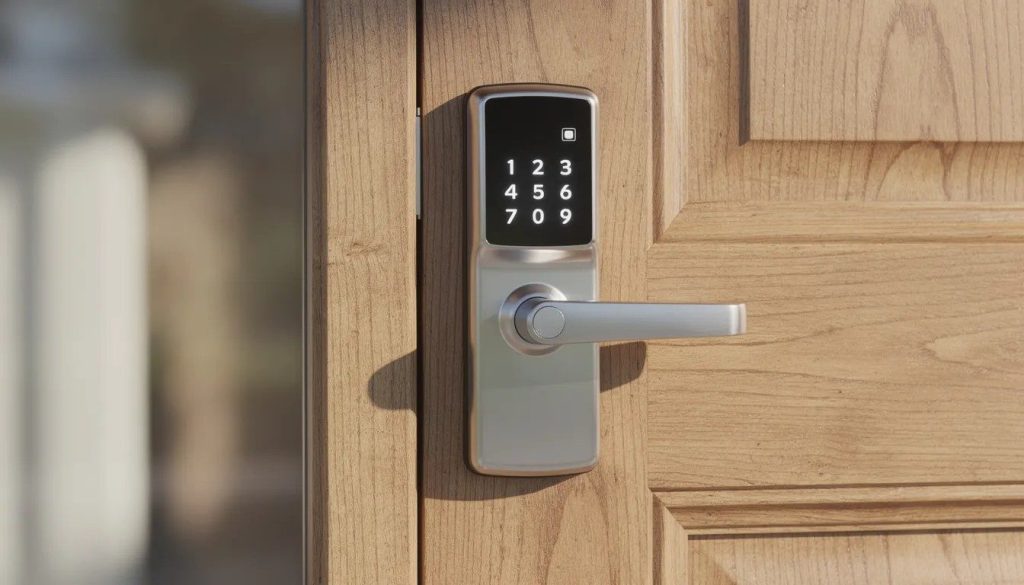
Smart locks have become increasingly common in South Florida homes, apartments, and small businesses over the past several years. As the smart lock market is projected to reach $8.4 billion by 2026, many Homestead property owners are asking practical questions about how these systems actually work. One of the most common questions we hear at 3 Guys Locksmith is whether a smart lock can be installed and used without Wi-Fi. The answer is yes. Many smart lock models are designed to function fully without an internet connection.
A common misconception is that a “smart lock” must always be connected to Wi-Fi. In reality, many smart locks operate using batteries and local communication methods such as Bluetooth, keypads, or physical credentials, with no router or internet required. Homeowners throughout Miami-Dade County are often surprised to learn that core functions, such as locking, unlocking, and access control, work reliably offline.
In this article, we explain how non-Wi-Fi smart locks work, what installation looks like for residential and commercial doors in the Homestead area, the advantages and limitations of offline smart locks, and when adding Wi-Fi connectivity may still make sense.
As a locally owned locksmith company with more than seven years of hands-on experience, 3 Guys Locksmith installs both Wi-Fi and non-Wi-Fi smart locks across South Florida and helps clients choose solutions that match their security needs and daily use. Contact us at 305-907-7707 for the best Homestead locksmith services.
Also Read: 10 Common Home and Car Lockout Mistakes in Cutler Bay, FL (and How to Avoid Them)
Understanding Smart Locks
A smart lock is a door lock that allows access using alternatives to a traditional metal key. These access methods may include a PIN code, a smartphone app, an RFID fob, or biometric verification such as a fingerprint. The “smart” component controls how the door is unlocked, while the physical locking mechanism itself remains mechanical and dependable, similar to a standard deadbolt.
Major Smart Lock Types
Bluetooth-only models
These locks connect directly to a smartphone within a limited range, typically 10 to 30 feet, using low-energy Bluetooth. They do not require an internet connection and function entirely offline for everyday use.
Keypad or code-based models
These locks use programmable PIN codes stored locally within the lock’s internal memory. They operate completely offline and are commonly used in residential homes, rental properties, and small commercial spaces.
Wi-Fi-enabled locks
These models connect to a home or business router, allowing remote locking, unlocking, activity alerts, and app-based control from anywhere. Internet access is required for remote features, but most still function locally if Wi-Fi is temporarily unavailable.
Z-Wave or Zigbee locks used with hubs
Designed for integration with home automation systems, these locks communicate through a hub using mesh networking. These protocols often provide more stable connections through walls than standard Wi-Fi and are common in smart home setups.
Wi-Fi vs. Non-Wi-Fi Smart Locks: Key Differences
| Feature | Non-Wi-Fi Smart Locks | Wi-Fi Smart Locks |
|---|---|---|
| Internet Required | No | Yes, for remote features |
| Operation Method | Keypad, Bluetooth, NFC, physical key | Mobile app, cloud platform, voice assistants |
| Works During Outages | Yes | Limited functionality |
| Remote Access | No, unless a hub is added | Yes |
| Typical Battery Life | 8 to 12 months | 4 to 6 months |
Core Advantages of Smart Locks
- Eliminates the need for spare keys, reducing the risk of lost, copied, or hidden keys around the property
- Allows easy creation, modification, and deletion of access codes without changing the physical lock
- Provides convenient temporary access for cleaners, contractors, pet sitters, or short-term rental guests
- Improves security by limiting access to approved users only, rather than shared physical keys
- Offers activity tracking and access logs on compatible models for better visibility and control
- Supports multiple users, with many models storing 20 or more PIN codes or 50 or more fingerprints
- Enhances convenience for daily use by allowing hands-free or keyless entry options
- Suitable for residential homes, apartments, offices, and light commercial properties across South Florida
Our team at 3 Guys Locksmith regularly installs smart deadbolts on standard exterior doors across Cutler Bay, Homestead, Hialeah, Coral Gables, Doral, Sunny Isles, Aventura, North Miami Beach, North Miami, and Key Largo. We often upgrade older single-cylinder deadbolts on both metal and wooden doors, ensuring enhanced security and seamless functionality for homes and businesses throughout these communities.
Also Read: How Can a Locksmith in Cutler Bay, FL, Replace a Car Key Without the Original
Do Smart Locks Always Need Wi-Fi?
Many smart locks available today do not require Wi-Fi for everyday operation. In fact, over 60% of models expected in 2025 support fully offline functionality. Basic keypad and Bluetooth locks handle authentication locally, eliminating the need for internet connectivity.
The core locking mechanism remains mechanical, with the “smart” features simply controlling how the latch engages. As a result, most models still allow the use of physical keys as a reliable backup.
How Non-Wi-Fi Locks Function
Keypad locks – Operate using PIN codes to lock and unlock doors. These are especially common in rentals, small offices, and residential properties throughout Homestead.
Bluetooth locks – Connect directly to a smartphone within a short range, typically 10–30 feet, without requiring any internet connection.
Hybrid locks – Function offline by default but can optionally connect to a plug-in hub for Wi-Fi-enabled remote access when desired.
Installing a Smart Lock Without Wi-Fi (Step-By-Step Overview)
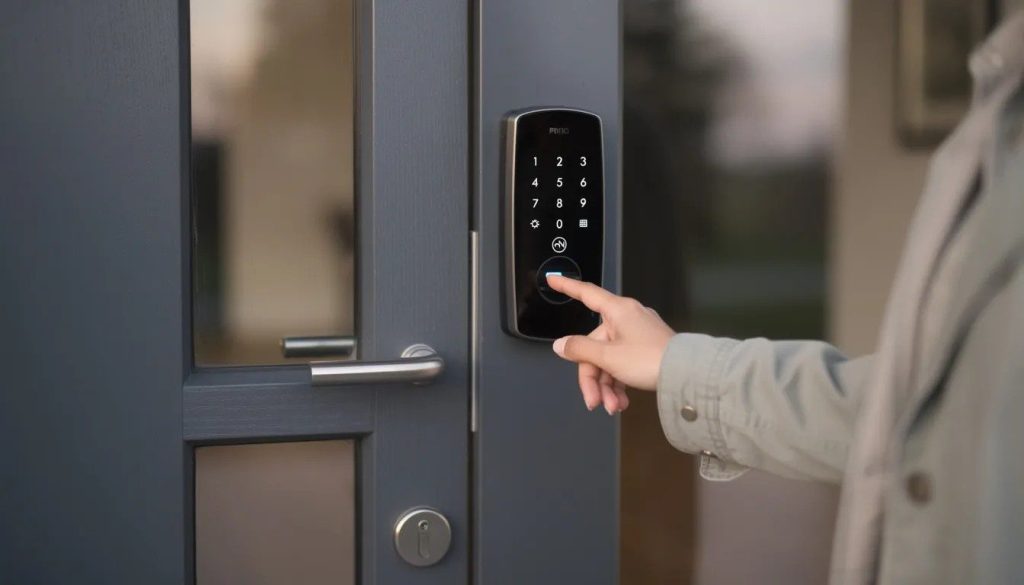
Installing a smart lock on an existing deadbolt is a straightforward process that can typically be completed in 20–45 minutes with basic tools. This guide walks through the key steps for retrofitting a standard exterior door, from preparing the door and hardware to final testing, ensuring a secure and fully functional installation.
Basic Tools and Materials Needed
- Screwdriver; flathead screwdriver may be helpful
- Optional: drill and wood chisel for adjusting the strike plate on older doors
- Batteries (commonly AA or CR123), tape measure, and the smart lock kit with instructions
Main Installation Steps
Step 1: Confirm door compatibility – Check door thickness (typically 1.375–1.75 inches), backset measurement, existing deadbolt hole size, and edge bore.
Step 2: Remove the existing deadbolt hardware – Keep the old screws and latch as a backup if needed.
Step 3: Install the new latch and strike plate – Ensure the bolt fully extends into the frame and aligns with the jamb. Misalignment can occur in older or settling homes.
Step 4: Attach the exterior lock body or keypad – Feed any connecting cables through the door hole as instructed.
Step 5: Attach the interior mounting plate and thumbturn/lock body – Connect cables according to the instructions.
Step 6: Install batteries, complete initial setup, and test – Confirm both mechanical and electronic operation before closing the door.
Tips for a Secure Non-Wi-Fi Setup
- Set primary access codes and store them securely
- Test backup physical key operation before finalizing installation
- Adjust the strike plate if the bolt rubs to prevent motor strain
- Mount the lock 48–52 inches from the floor for optimal reach and security
- Disable factory default codes immediately
For homeowners or business owners who prefer professional installation, experienced locksmiths or key makers in Homestead, FL can handle everything from standard residential doors to reinforced or impact-rated commercial doors safely and efficiently.
Also Read: Key Fob Not Working? Experienced Locksmith in Doral, Florida, Explains Why and How to Fix It
When Wi-Fi Might Still Be Useful
While most smart locks operate perfectly without Wi-Fi, adding a connection can enhance convenience and functionality for certain lifestyles and property types in Homestead and the greater Miami-Dade area.
Scenarios Where Wi-Fi Features Are Helpful
- Remote access for property managers or landlords managing rentals who need to grant entry to guests arriving late.
- Real-time alerts when children return home from school.
- Control from anywhere—lock or unlock doors remotely via a smartphone app, even from another city or state.
Specific Wi-Fi-Based Functions
- Activity logs tracking when each access code is used
- Integration with voice assistants such as Amazon Alexa or Google Assistant
- Automated routines, like scheduled auto-locking at night
- Push notifications for every entry event
Even if you start with a non-Wi-Fi setup, many smart locks allow adding a Wi-Fi bridge or smart hub later. Offline operation remains fully functional, giving you the flexibility to upgrade as needed.
Property managers and homeowners often benefit from hybrid setups that combine offline reliability with optional cloud features. Professional locksmiths can help you choose the best approach based on property type, budget, and security priorities, ensuring the lock fits your lifestyle and needs.
What Are Optional Cloud Features?
Optional cloud features refer to smart lock functionalities that rely on an internet connection and remote servers to extend the lock’s capabilities beyond basic offline operation. These features are typically enabled through a Wi-Fi bridge or smart hub, allowing the lock to communicate securely with cloud-based applications.
Common cloud-enabled features include:
- Remote access: Lock or unlock doors from anywhere using a smartphone app, even when you are out of town.
- Real-time notifications: Receive alerts whenever the lock is used or when someone attempts unauthorized access.
- Activity tracking: Store logs in the cloud to see a detailed history of who accessed the property and when.
- Integration with smart home systems: Connect the lock to voice assistants, automated routines, or other devices in your home or rental property.
These features provide convenience, oversight, and automation, but they are not essential for day-to-day security. Many smart locks allow you to start offline and enable cloud features later, giving you flexibility to upgrade as your needs evolve.
Professional Installation vs. DIY in Homestead, FL
While many homeowners can install non-Wi-Fi smart locks themselves, professional installation by a local locksmith ensures greater reliability and security, especially given South Florida’s unique climate and construction conditions.
Benefits of Hiring Professional Homestead Locksmith Services
- Accurate assessment of doors and frames common in South Florida construction
- Proper alignment to prevent binding, crucial for battery-powered locks and hurricane-rated doors
- Rekeying on-site to match existing house keys, reducing key clutter
- Backup key expertise for additional access or emergency use
Common DIY Mistakes
- Installing the latch backward or misaligning the deadbolt causes motor strain
- Failing to fully tighten screws, resulting in loose keypads or interior housings
- Skipping tests with the door open, risking lockouts
- Using low-quality batteries that drain quickly in Homestead’s heat and humidity
How Professional Guidance Supports Long-Term Security in Florida City
- Matching lock grade and hardware to door exposure (front doors versus side or garage doors)
- Recommending additional security measures, such as high-security cylinders, reinforced plates, or master key systems
- Providing quick follow-up services for code resets, rekeying, or troubleshooting electronics
Skilled technicians also apply anti-seize compounds to combat Florida’s corrosive environment, extending lock lifespan by up to 40%.
Schedule Your Smart Lock Installation with 3 Guys Locksmith in Homestead, FL, Today
Smart locks without Wi-Fi provide dependable security, straightforward access control, and flexibility for homes, rental properties, and businesses throughout Homestead and South Florida. Whether you prefer a fully offline setup or want the option to add connected features later, selecting the right lock and ensuring proper installation are key to long-term performance and reliability.
3 Guys Locksmith offers knowledgeable guidance and professional service to help property owners choose, install, and maintain smart locks that match their doors, daily usage, and security priorities. Our fully licensed technicians work with residential properties, commercial entrances, and automotive lock systems.
Homeowners and property owners in Cutler Bay, Homestead, Hialeah, Coral Gables, Doral, Sunny Isles, Aventura, North Miami Beach, North Miami, Key Largo, and surrounding South Florida communities can rely on us for:
- Smart lock recommendations for both Wi-Fi and non-Wi-Fi systems
- Professional smart lock installation, key duplication, and secure configuration
- Residential locksmith services, including new key installation, etc.
- Commercial locksmith services such as lock repairs, business security services, key copy and more
- Automotive locksmith services, including car key replacement, key cutting, etc.
With over seven years of local experience, we provide fast mobile service, clear pricing, and consistent workmanship. Call 3 Guys Locksmith at (305) 907-7707 to schedule your smart lock installation or security evaluation and get reliable protection backed by professional service you can trust.
Frequently Asked Questions
Will a non-Wi-Fi smart lock work during a power outage?
Yes. Most residential smart locks are battery-powered rather than connected to household electricity, so they continue operating during power outages. This is especially important in Homestead, where outages can occur during hurricane season. Low-battery warnings are typically provided through audible alerts or visual indicators, allowing timely replacement.
Can Wi-Fi be added later if I start with an offline smart lock?
In many cases, yes. Some smart locks support optional Wi-Fi bridges or smart hubs that enable remote access without replacing the lock itself. Compatibility varies, so it is best to confirm whether add-on modules work with your specific lock and home network before purchasing.
What happens if I forget my access code and there is no Wi-Fi connection?
Most smart locks include a backup mechanical key cylinder, allowing entry with a traditional key even if the code is forgotten. Keeping a spare key in a secure location or with a trusted person is recommended. If access is still unavailable, a locksmith can reset codes, rekey the cylinder, or restore entry on site.
Do non-Wi-Fi smart locks require software updates?
Many keypad-based locks use stable firmware and require little to no ongoing updates. Bluetooth-enabled models may receive occasional updates through a paired smartphone app rather than through Wi-Fi. Overall, non-Wi-Fi smart locks tend to be low maintenance and straightforward to manage.